
- iOS 26.4 Lets You Customize Your iPhone Like Never Before
- New Lock Screen Customization Options
- More Powerful Home Screen Widgets
- App Icon Customization Gets Easier
- New Control Center Personalization
- Dynamic Wallpapers and Themes
- Hidden Customization Tricks in iOS 26.4
- Why iOS 26.4 Is a Big Update for Personalization
- Final Thoughts
iOS 26.4 Lets You Customize Your iPhone Like Never Before
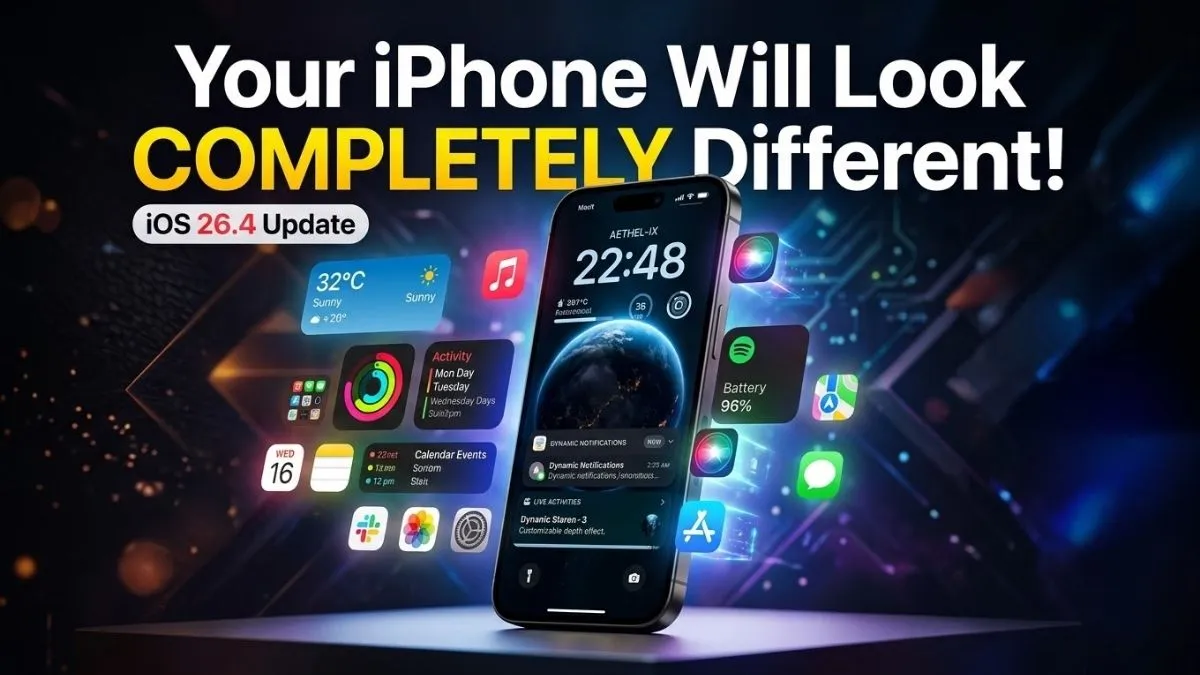
Apple has always been known for its clean and consistent design, but with iOS 26.4, the company is pushing personalization further than ever before.
The latest update introduces several new customization tools, UI tweaks, and hidden settings that allow iPhone users to make their devices feel more personal.
If you love tweaking your iPhone’s look and functionality, the iOS 26.4 update might be one of the most exciting upgrades yet.
Here’s everything you can now customize.
New Lock Screen Customization Options
The lock screen has received even more personalization features in iOS 26.4.
Users can now:
• Add interactive widgets
• Change lock screen fonts and colors
• Customize clock styles
• Add animated wallpapers
Apple has also improved widget placement, giving users more freedom when designing their lock screen.
This means your iPhone can look completely different from everyone else’s device.
More Powerful Home Screen Widgets
Widgets continue to be a big part of iPhone customization, and iOS 26.4 expands their capabilities.
New improvements include:
• Resizable widgets
• Interactive controls directly on widgets
• More third-party widget support
• Smart widget stacking
With these upgrades, you can control music, reminders, smart home devices, and more directly from the home screen.
App Icon Customization Gets Easier
One of the most requested features from iPhone users was easier app icon customization.
With iOS 26.4, Apple makes it simpler to:
• Change app icons
• Apply theme-style icon packs
• Match icons with wallpaper themes
This gives your iPhone a more Android-like level of visual customization, while still keeping Apple’s clean design language.
New Control Center Personalization
The Control Center also receives new customization options.
Users can now:
• Rearrange control tiles
• Add new quick actions
• Customize control sizes
• Access shortcuts faster
This makes everyday tasks like Wi-Fi, brightness, Bluetooth, and music control much more convenient.
Dynamic Wallpapers and Themes
iOS 26.4 introduces dynamic wallpapers that react to time and movement.
These wallpapers can change based on:
• Time of day
• Weather conditions
• Device movement
This adds a more alive and immersive look to the iPhone interface.
Hidden Customization Tricks in iOS 26.4
Beyond the visible features, the update also includes several hidden tweaks.
Some of the most interesting ones include:
• New notification style customization
• Lock screen quick action shortcuts
• Improved focus mode themes
• Enhanced widget animations
Many of these features are not immediately obvious, so exploring the settings can reveal some useful surprises.
Why iOS 26.4 Is a Big Update for Personalization
For years, iPhone users wanted more freedom to customize their devices.
With iOS 26.4, Apple is finally giving users more control over how their iPhone looks and works, without compromising the smooth experience that iOS is known for.
From widgets and icons to wallpapers and lock screen layouts, your iPhone can now feel truly unique.
Final Thoughts
The iOS 26.4 update focuses heavily on personalization, making it one of the most exciting updates for users who enjoy customizing their devices.
If you haven’t explored the new settings yet, there are plenty of hidden customization options waiting to be discovered.
And judging by the direction Apple is taking, future iOS updates may bring even more powerful personalization tools.